Guide
Sydney restaurant menu allergen checklist
6 min read
A Sydney restaurant allergen checklist starts with the recipe and supplier record, not a decorative icon. Keep the current ingredients, supplier labels, preparation details, and dietary notes together; make the customer-facing wording match those facts; then update the hosted QR menu and print file when a recipe changes. MenuCrafters can organize supplied information, but the operator remains responsible for checking the dish and the rules that apply to the business.
Start with the dish record
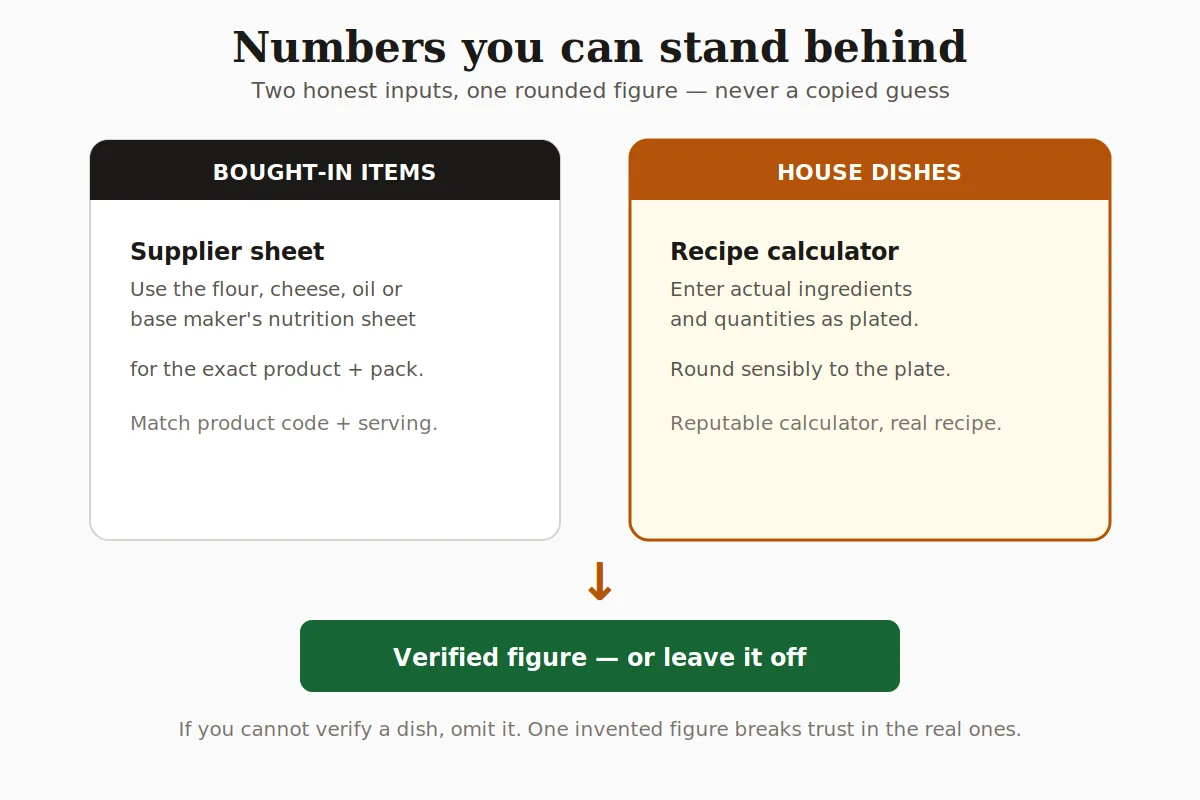
For every dish, keep a current ingredient list, supplier label or specification, recipe quantity, garnish, sauce, and preparation method. Record the facts that can change when a supplier, brand, or recipe changes; a dietary icon is only as reliable as the record behind it. Use the same dish name in the kitchen, the hosted menu, and the print file so a staff member can trace a question to one source.
Do not copy an allergen statement from an older menu or from a similar dish. Check the exact product and the finished recipe, including bread, stock, dressing, garnish, and shared preparation surfaces where they matter to your operation.
Make the menu note match the current dish
Use plain language for the ingredients and dietary signals your operation has actually checked. A Vegetarian or GF label can help a guest scan, but it does not by itself prove that a dish is suitable for every person with an allergy. Avoid a blanket claim that the whole kitchen is allergen-free; describe the dish, the known ingredients, and the way a guest can ask for more information.
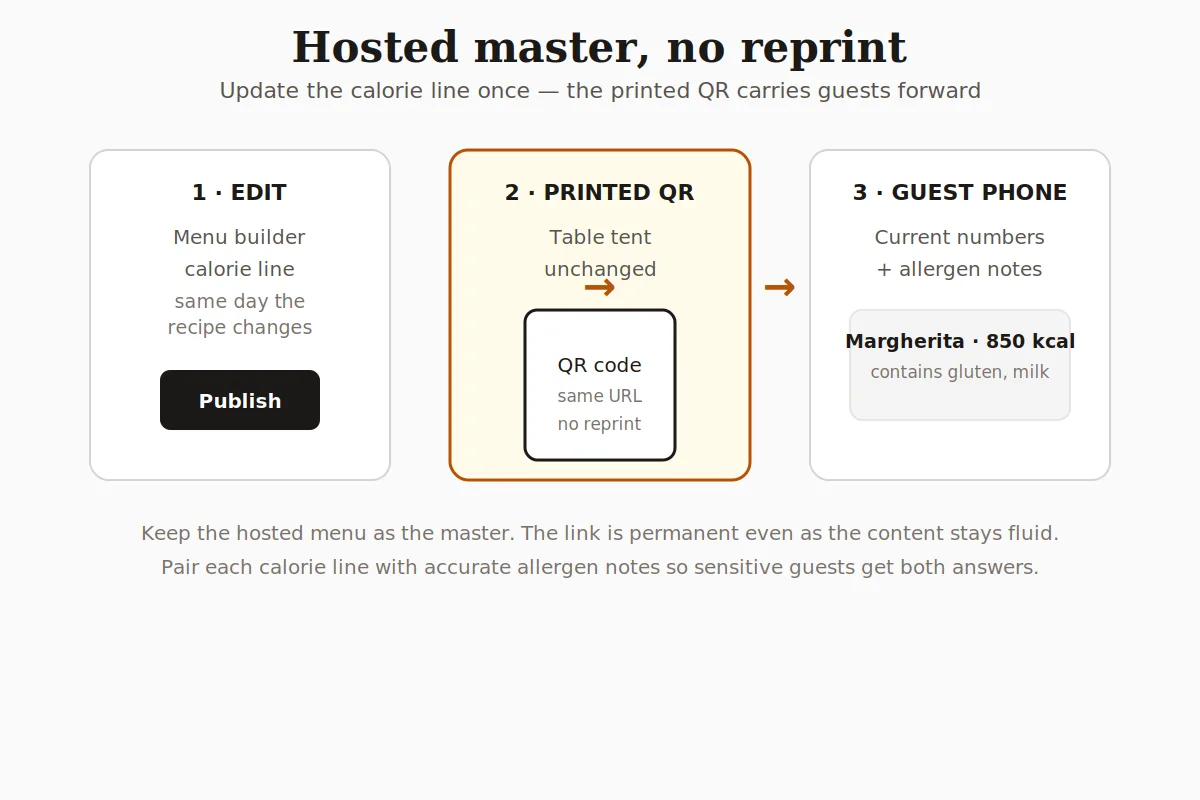
When a supplier changes, a sauce is reformulated, or a garnish moves to a shared station, update the record and the hosted menu together. Keep the old printed code pointing to the current page so a guest is not sent to a stale copy.
Give staff a consistent answer
A guest asking about an allergen needs a useful answer, not a guess. Decide who checks the dish record, where the current information is kept, and how a server hands a question to the kitchen. If the kitchen cannot verify an ingredient or cross-contact question, say so clearly and offer only options the team can stand behind.
- Keep the current ingredient and supplier record accessible to the people answering menu questions.
- Ask about the guest's concern without promising that a substitution removes every risk.
- Re-check the dish after a recipe, supplier, garnish, or preparation change.
- Use the same verified wording on the hosted QR page and the print-ready PDF.
Check the page before service
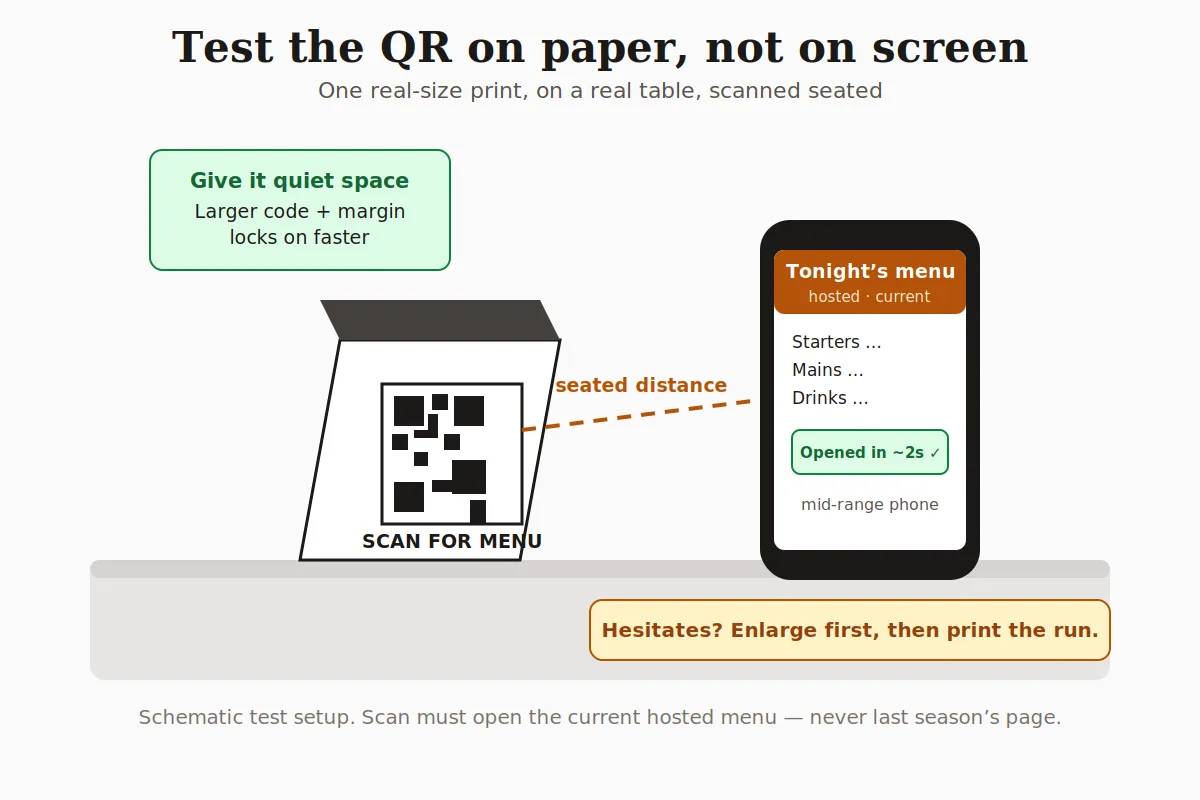
Read the published menu on the phone a guest will use and on the PDF your team will print. Check that the dish name, description, dietary note, price, and section all match the current recipe. Test the QR at the real printed size and make sure it opens the current hosted menu rather than a saved preview or an older version.
Build only after the facts are ready
MenuCrafters can organize supplied facts, but it cannot certify a dish as allergen-free. Verify the recipe and the applicable NSW guidance through your own operation, then edit each menu note before publishing. Build a Sydney menu with verified allergen notes.
Quick steps
- 1
Collect the current facts
Record ingredients, supplier information, recipe quantities, preparation, garnish, and the dish name used by the team.
- 2
Write a bounded menu note
Use plain dietary signals without claiming that the whole kitchen or dish is allergen-free.
- 3
Set the staff handoff
Decide who answers questions, where the record lives, and what happens when an ingredient cannot be verified.
- 4
Publish and re-check
Read the hosted page and PDF, test the printed QR, and update both when the recipe or supplier changes.
Frequently asked questions
- Should I label a dish allergen-free on the menu?
- Only make a claim your operation can substantiate under the rules that apply to it. Keep current ingredient and preparation records, use clear dietary notes, and do not treat an icon as a guarantee that removes every cross-contact risk.
- What should a Sydney restaurant keep beside its menu?
- Keep the current recipe, supplier labels or specifications, preparation details, garnish and sauce information, and the wording used for the hosted and print versions. Re-check the record when a supplier or recipe changes.
- Can a QR menu help keep allergen notes current?
- Yes. Use the hosted menu as the editable master and update the dish note when the recipe changes. Test the printed QR so it opens that current page; still review the print PDF if your operation hands out paper copies.