Restaurant Operations · Updated 2026-08-02 · 16 min
AI Menu Generator Free No Sign Up: What You Can Build Before Paying
Yes — you can use a free AI menu generator without creating an account to turn a rough dish list into an initial structure and draft descriptions. Treat that draft as working copy, not guest-ready: enter only facts you trust, inspect every line, and check it on phone, QR link, and paper. Free access and no-sign-up access are separate — drafting may not include saving or publishing. Confirm the current save/publish step in the tool before treating the draft as your record.
Try the menu description generator
What you can do before creating an account
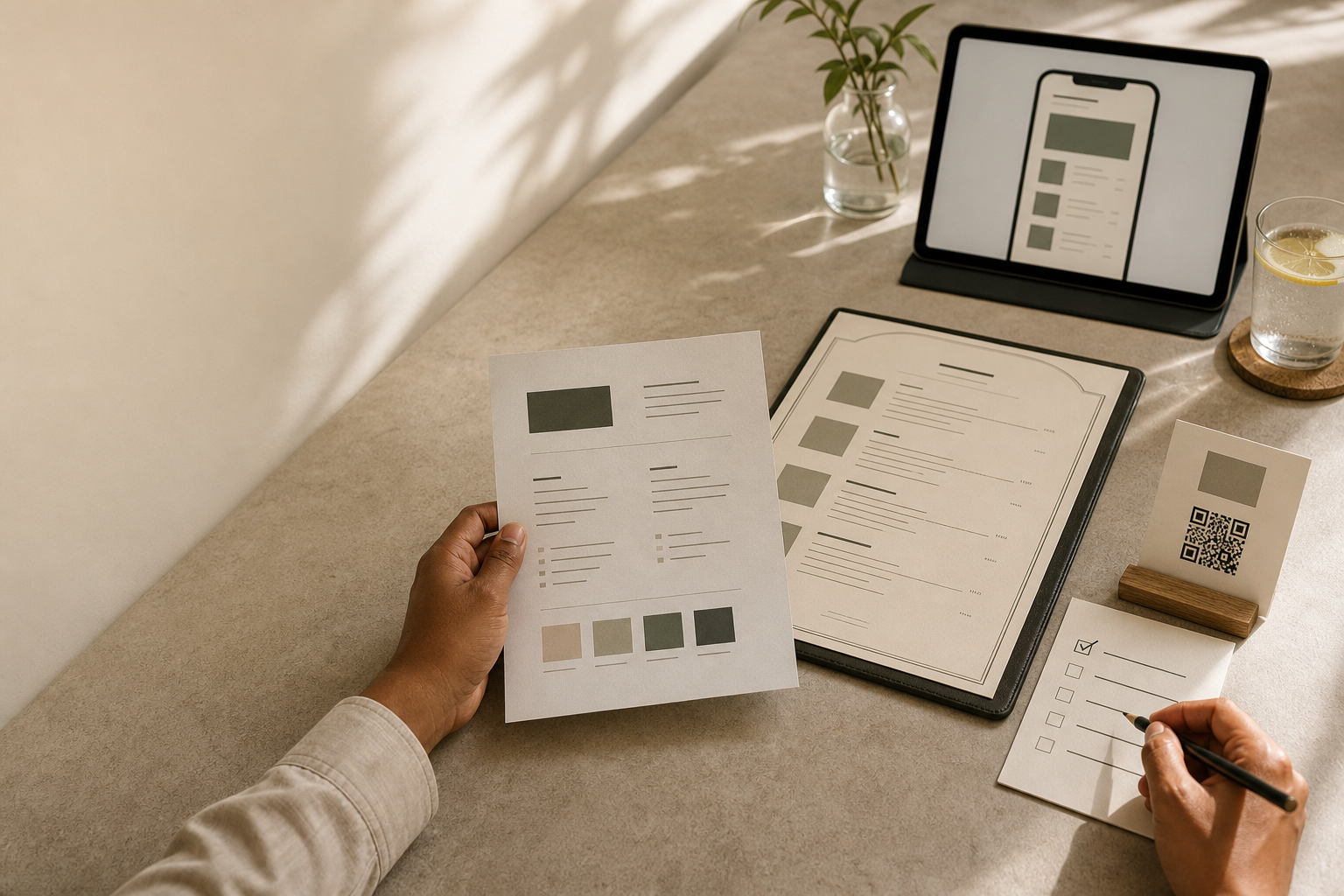
What free covers per public signals: a restaurant brief becomes an editable menu with sections and dish descriptions, with hosted QR link and print-ready PDF. Home-page signal states first menu is free, no credit card required. Pro signals include unlimited saved menus, premium templates, branded QR, custom link, AI optimisation, no MenuCrafters branding. Confirm current product/pricing in /build before publishing.
Free preview for evaluation. Verify prices, allergens, and QR/print before publishing.
The early, free stage is a way to remove the blank page, not a way to remove editorial responsibility. It can help you:
The supplied public MenuCrafters product page describes a restaurant brief becoming an editable menu with structured sections and dish descriptions, followed by a hosted QR link and a print-ready PDF. Its public home-page signal also states that the first menu is free and that no credit card is required. [MenuCrafters](https://menucrafters.com/) is therefore a relevant place to apply the workflow below, while the accuracy and publication checks remain the operator's responsibility.
Free access is not a complete operating record. A draft may omit an ingredient source, current price, update owner, or required local wording. Keep those details in trusted records; use the generator to organise and express them, not to supply unknown facts.
- turn dish names and confirmed ingredient notes into organised sections;
- draft shorter descriptions for a café, restaurant, bar, food truck, or delivery-only kitchen;
- compare a direct, relaxed, premium, or family-friendly voice;
- identify missing fields such as portion size, modifiers, availability, or price;
- see whether your menu makes sense in a mobile-first layout and a printed layout;
- prepare one representative section before deciding how much of the workflow you need.
The Source–Shape–Scrutinise–Scan–Ship framework
Use these five gates for every section. The names are deliberately practical: each gate has a different owner and a different reason for stopping.
1. Source the facts.
Start with the records your kitchen and front-of-house team already rely on. For each item, collect:
If a value is unknown, write `CHECK` or leave a clearly marked field empty. Do not ask a language model to complete a missing price, allergen label, origin claim, or preparation detail.
2. Shape the draft.
Give the tool a structured brief rather than a single dish name. Tell it how sections should be grouped, how long descriptions should be, and which words are off limits unless they appear in the supplied facts. For example:
```text Service: [lunch / dinner / takeaway] Guest-facing channels: [mobile QR / printed menu / both] Sections: [use the supplied order] For each item, use only:
Writing rules: one clear description; no invented ingredients, origins, health claims, dietary labels, prices, or portion promises. Return CHECK when a required fact is missing. ```
This separates creative choices from factual assertions. Ask for a warmer sentence or shorter version, but do not delegate recipe accuracy to the draft.
3. Scrutinise every line.
Run two reviews. First compare each name, ingredient, method, size, price, modifier, availability note, and allergen statement with its source record. Then remove repetition, inflated adjectives, confusing terms, inconsistent capitalisation, and copy that is too long for the channel.
Read the menu as both the preparer and the guest. Keep labels such as “vegan”, “gluten-free”, “organic”, “local”, or “sugar-free” only when the responsible person has verified their basis.
Writing the descriptions? See How to Write Menu Descriptions With AI for prompt formula and banned-word list.
4. Scan both channels.
A tidy laptop document may be awkward on a phone or crowded on paper. In a QR or mobile view, check section order, the relationship between names and prices, visible modifiers, and description length. Open the intended destination on a team phone and confirm the current menu appears.
For print, inspect the chosen page size, line wraps, price alignment, clipped text, and page breaks. If a QR code is printed, confirm its destination before sending anything to the printer. Record the version or effective date where your operation needs that control.
5. Ship or hold.
Publish only when the critical facts have a source, the copy has a human reviewer, and both channels have been inspected. Hold the item or the whole menu when a price conflicts with the till, a dietary label is unresolved, a modifier is missing, a code opens the wrong destination, or the layout hides an important choice. A clean-looking draft is not a reason to waive a failed gate.
- the item name and menu section;
- confirmed ingredients and preparation method;
- portion, size, or serving format;
- current price, currency, and any modifiers or add-ons;
- availability, service period, and substitution rules;
- allergen and dietary information, with the record used to verify it;
- the preferred language, tone, and channel; and
- the reviewer and person who will own later updates.
- name: [verified name]
- ingredients: [verified list]
- preparation: [verified method]
- size and price: [source values]
- modifiers: [source values]
- availability: [source value]
- allergen or dietary status: [verified status or CHECK]
Example: an illustrative lunch-menu check
The following is an illustrative training example, not a real restaurant, customer story, test, quotation, or claimed result. Replace every bracketed value with a record from your own operation.
Suppose an operator is preparing a lunch section for a mobile QR menu and an A4 or US Letter print menu. The brief contains one illustrative item:
A constrained draft might read: “Roasted chickpeas with rice, cucumber and [verified dressing].” The bracket is intentional. It prevents a missing dressing detail from being turned into a confident-sounding invention. If the recipe record supplies a verified preparation detail, the reviewer can replace the bracket with that detail; if it does not, the description should stay simpler.
Now apply the gates:
1. Compare the dish name and ingredients with the recipe card. If the kitchen uses a different grain, garnish, or dressing, correct the source brief before correcting the prose. 2. Check the dressing separately. If it contains an allergen or cannot support a dietary label, use the wording approved by the responsible person rather than inferring a label from the dish name. 3. Insert the current price, portion information, availability, and permitted modifiers from operational records. The generator must not be the source for those values. 4. View the item on a phone. Confirm that the section title, description, price, and modifier information are easy to find without a layout break. 5. Inspect the print preview at the chosen page size. Correct line wrapping, spacing, and the relationship between the item and its price before exporting. 6. Publish only if every critical field is resolved. If any field still says `CHECK`, hold that item and identify the person who must resolve it.
The lesson is where creative assistance ends: improve the wording without changing the menu's factual boundary.
- Item name: Roasted Chickpea Bowl
- Confirmed ingredients: chickpeas, rice, cucumber, and the dressing recorded in the kitchen recipe
- Preparation: use the method written in the recipe record
- Price: copy the current value from the till or POS
- Availability: enter the service period confirmed by the operator
- Modifiers: enter only the substitutions and add-ons the kitchen accepts
- Allergen or dietary status: `CHECK` until the recipe and the relevant record agree
- Writing direction: one concise, plain-English description
Draft-to-publish readiness matrix
Use this matrix as a hand-off between the person preparing the brief, the person reviewing the food information, and the person checking the layouts.
| Stage | Supplied facts | AI-draft output | Human verification | QR/mobile check | Print check | Publish-or-hold decision | |---|---|---|---|---|---|---| | Menu brief | Service, sections, item list, channel, and update owner | A proposed structure using the supplied order | Compare the draft list with the current menu record | Section names are easy to find | Section hierarchy fits the chosen page | Hold if the scope or owner is unclear | | Item copy | Name, ingredients, method, size, and approved tone | A concise description with no extra claims | Match every factual phrase to the recipe or product record | Name, copy, and price stay together | No clipping, awkward wrap, or crowded item block | Hold any line containing an unsupported detail | | Price and modifiers | Current price, currency, size, add-ons, substitutions | Placeholders or supplied values, never guessed values | Reconcile with the till/POS and kitchen rules | Price and choices are visible before ordering | Currency and alignment are unambiguous | Hold any mismatch or missing modifier | | Allergen and dietary information | Verified recipe and the organisation's approved wording | A label only when the source supplies it; otherwise `CHECK` | Responsible reviewer confirms the statement | The note is visible where the guest needs it | The note is not separated from the relevant item | Hold unresolved or over-broad labels | | QR/mobile route | Intended destination and current menu version | A guest-facing menu route if the chosen tool provides one | Open the destination and compare it with the approved version | Check the printed code and mobile presentation | Check code placement, surrounding space, and print clarity | Hold if the destination or version is wrong | | Print hand-off | Page size, language, brand notes, and final reviewer | A layout ready for preview | Review a full-page preview and, where practical, a physical proof | Not applicable, except where the QR is printed | Check page breaks, contrast, spacing, and price placement | Hold if any channel has not been reviewed | | Final gate | Reviewer, effective date, and update responsibility | No new factual content | Record approval and unresolved items | Confirm the intended live version | Remove or replace obsolete printed copies | Publish only when critical checks pass |
Implementation steps for a real menu
Step 1: Choose one representative section.
If you are evaluating the workflow, start with one representative section: a main with a modifier, a drink with sizes, or a changing special. It should expose missing fields without making review unmanageable.
Step 2: Build the fact sheet first.
Copy information from recipe records, till/POS, allergen documentation, and the current menu. Separate confirmed values from unresolved notes, then add the channel and update owner. This gives the draft a boundary and the reviewer something concrete to compare.
Step 3: Generate in controlled batches.
Ask for one section or a small related group at a time. Keep the same rules so headings, descriptions, prices, and modifiers do not drift. Mark missing information rather than filling gaps, and save approved source copy separately from the draft.
Step 4: Review facts before style.
A polished sentence can hide a wrong detail. Check ingredients, methods, sizes, prices, availability, modifiers, and dietary wording first; then adjust tone, length, spelling, or translation. For a bilingual menu, reconcile each language against the same approved facts.
Step 5: Review the guest-facing formats.
Preview the mobile or hosted menu and print layout independently. Check section order, the next choice, and the relationship between each item, price, and option. Open the QR destination and inspect the exact version to share. Keep approved wording and its effective date.
Step 6: Assign the update loop.
A live menu needs an owner. Decide who changes prices, confirms availability, reviews recipe or allergen changes, and replaces printed material. If no one owns future changes, the menu is not ready for hand-off.
Step 7: Decide whether a broader workspace is justified.
The supplied MenuCrafters public signals describe an editable menu workflow with hosted QR and print outputs. They also describe the first menu as free, while the public pricing signal places capabilities such as unlimited saved menus, premium templates, branded QR, a custom link, AI optimisation, and removal of MenuCrafters branding in the Pro offering. Use the current product information to confirm what is available when you decide; choose a broader plan because your operation needs those controls, not because a first draft sounds polished.
Free evaluation or ongoing menu system?
A free, no-sign-up draft is a sensible stopping point when you are testing one menu concept, have a reliable source list, can review every item manually, and only need to judge the quality of the writing and structure. It is also useful for a seasonal refresh when the main decision is whether the new section reads clearly before you put it into a production workflow.
A fuller workspace becomes more relevant when edits are routine rather than occasional. Signals that it may be worth considering include:
These are workflow requirements, not a prediction about any tool. List the repeated task you want to remove, then check that the selected plan and access flow support it.
- prices or availability change often and the same source should feed mobile and print versions;
- the operation maintains more than one menu or service format;
- several people need a consistent template or brand treatment;
- you need a hosted QR destination plus a print hand-off in the same workflow;
- you want to compare the current public plan features with the limitations of a one-menu trial.
Reusable publish-or-hold checklist
Before a menu reaches guests, tick every applicable line:
If a critical box is unticked, mark the item `HOLD`, name the missing source, and return it to the person who can resolve it. Never hide an unresolved field with more persuasive copy.
- [ ] The section order matches the current operational menu.
- [ ] Every dish name, ingredient, method, size, and portion statement has a source.
- [ ] Prices and currencies match the current till/POS record.
- [ ] Modifiers, add-ons, substitutions, and availability are clear.
- [ ] Allergen and dietary wording has been checked by the responsible person.
- [ ] No description adds an unverified origin, health, quality, or preparation claim.
- [ ] The writing is concise enough for the intended phone view.
- [ ] The mobile or hosted version has been inspected on a phone.
- [ ] The QR destination opens the intended current menu.
- [ ] The print preview has been checked at the chosen page size.
- [ ] The final reviewer and effective date are recorded.
- [ ] Someone owns later price, availability, recipe, and print updates.
Limitations: where a free AI menu generator is not enough
A generator only sees what you supply. It cannot inspect your recipe book, till, supplier record, kitchen process, or local labelling requirements unless you provide and verify the information. Plausible wording may still contain an unsupported ingredient, method, portion implication, origin statement, or dietary label.
A no-sign-up draft also does not, by itself, establish that your work is saved, versioned, shareable, or recoverable later. Confirm the actual access and storage flow before relying on it for a live menu. The supplied public signals describe MenuCrafters' menu, QR, and print workflow, but they do not establish every operational control an organisation might need, such as approval roles, audit history, or local compliance review.
Screen previews do not replace checking the live destination and physical print hand-off. Devices, page sizes, printers, lighting, and reading conditions vary. Inspect the intended version and keep an approved copy for comparison after edits.
A free first menu may evaluate the workflow without covering multiple menus, frequent changes, brand control, or long-term updates. Treat plan limits as current information to verify, not permanent assumptions. If source facts conflict or are missing, hold the item.
FAQ
Can I use an AI menu generator free without signing up?
Yes, where offered, a no-sign-up route can support an initial draft and workflow evaluation. Enter verified facts, review the copy, and check guest-facing formats. Free access and no-sign-up access are separate: a service may allow drafting before account creation but require an account to save or publish. Confirm that step before treating the draft as a record.
What should I enter into the generator?
Start with the section, dish name, confirmed ingredients, preparation method, portion or size, current price, currency, modifiers, availability, allergen or dietary record, language, tone, and channel. Mark unresolved fields `CHECK`. A source brief is safer than a bare dish name because it leaves less room for invented detail.
Is AI-written menu copy ready to publish immediately?
No. Compare every item with the recipe, price record, availability, modifier rules, and approved allergen or dietary wording. Inspect the mobile or QR version and print layout. Publish only after a named reviewer clears the critical fields.
How do I keep generated prices and allergen information accurate?
Do not ask the generator to create either one. Copy prices from the current till/POS record and compare them at final review. Confirm allergen and dietary wording from the recipe and the responsible person's approved information. If records disagree, use `HOLD` until resolved.
Can one menu work for both QR and print?
It can be prepared for both channels when content and layout are reviewed separately. Mobile menus need clear order and compact descriptions; printed menus need page, spacing, line-wrap, and price-placement checks. A single source reduces duplicate editing but does not remove channel review.
When should I consider a paid menu workspace?
Consider it when the menu is an ongoing asset: repeated price changes, multiple menus, several service formats, template or brand requirements, or a need to keep QR and print work together. Compare those needs with current plan details; keep the free route when it covers the task.
What is the safest next step?
Take one representative section through Source, Shape, Scrutinise, Scan, and Ship-or-Hold. Keep the fact sheet beside the draft, resolve every `CHECK`, and record the next update owner. Then decide whether the free draft or a fuller workflow fits.
Build your menu
Turn the ideas in this guide into a hosted QR and print menu with MenuCrafters.